

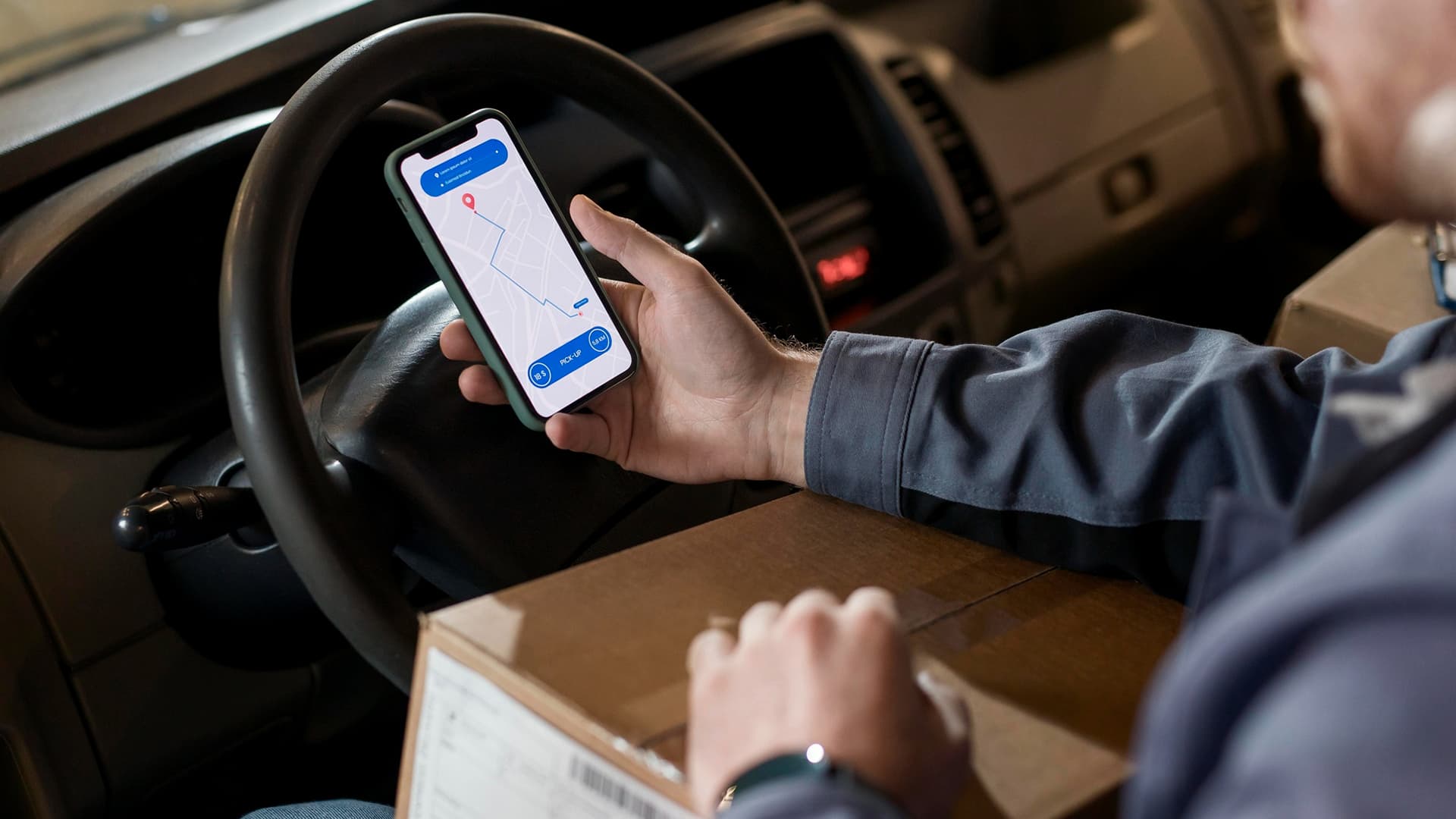
Most delivery delays do not happen because drivers are not working hard. They happen because routes are not planned well enough.
A driver leaves the warehouse with a long stop list. Traffic changes. A customer is not available. One delivery is far from the rest. Another order gets added at the last minute. The dispatcher starts calling drivers for updates. Fuel costs keep rising, and the team completes fewer deliveries than expected.
This is where a route planning app becomes more than a map on a phone. It gives delivery teams a smarter way to plan routes, assign stops, reduce travel time, improve dispatching, and keep customers updated without relying on guesswork.
This blog explains how a route planning app works, what features matter most, and how delivery businesses can use it to save time, reduce fuel usage, and improve daily operations.
What Is a Route Planning App?
Before looking at savings, it helps to define the system clearly.
A route planning app is a digital tool that helps delivery teams plan, optimize, assign, and track delivery routes. It uses delivery locations, driver availability, vehicle capacity, traffic conditions, time windows, and stop priorities to create better routes.
A Central System for Delivery Routes
Instead of building routes manually through spreadsheets, maps, phone calls, and driver notes, the app keeps route planning in one place.
That can include:
- Delivery addresses
- Driver schedules
- Vehicle details
- Stop priorities
- Customer time windows
- Traffic conditions
- Route order
- Delivery status
- Proof of delivery
- Customer notifications
The goal is simple. Drivers should spend less time figuring out where to go and more time completing deliveries.
Who Uses Route Planning Apps?
Businesses with mobile delivery teams benefit the most. This includes courier companies, food delivery teams, grocery delivery services, furniture delivery providers, retail logistics teams, medical supply companies, field service fleets, warehouse distribution teams, and last-mile delivery businesses.
Any company that sends drivers to multiple locations each day can use better route planning.
Why Manual Route Planning Becomes Difficult
Manual route planning may work when a company has a few stops per day. It becomes difficult when orders increase, service areas expand, and customers expect faster delivery updates.
Dispatchers may assign inefficient routes. Drivers may cross the same area twice. Fuel may be wasted on poor sequencing. Customers may call repeatedly because they do not know when the driver will arrive.
These issues make delivery operations slower and more expensive.
Why Delivery Teams Need Better Route Planning
Delivery work depends on timing, distance, driver availability, traffic, and customer expectations. When routes are poorly planned, the whole day becomes harder.
Deliveries Move Through Multiple Stages
A typical delivery route may move through this flow:
- Orders received
- Addresses verified
- Stops grouped by area
- Driver assigned
- Route optimized
- Vehicle loaded
- Driver dispatched
- Delivery completed
- Proof collected
- Customer notified
- Route reviewed
Without a proper system, each stage can create delays.
Every Route Needs Clear Ownership
Every route should answer basic questions.
Which driver is assigned? Which stops are included? What is the best stop order? Which deliveries are urgent? What time does each customer expect delivery? Has the driver completed the stop?
A route planning app keeps these answers attached to the route instead of scattered across messages and calls.
Small Route Mistakes Can Increase Fuel Costs
One wrong stop order can add unnecessary miles. A driver may pass one neighborhood, deliver somewhere far away, then return to the same area later. That wastes fuel, time, and driver energy.
Better route planning helps reduce distance and avoid repeated travel.
Customers Expect Accurate Delivery Updates
Customers do not want vague delivery windows. They want clear arrival estimates, delay updates, and confirmation when their order has been completed.
A good delivery experience depends on communication as much as speed.
Managers Need Route Visibility
Managers need to see active routes, completed stops, delayed drivers, fuel usage, delivery success rates, and route performance.
A proper system turns daily delivery movement into useful operational data.
How a Route Planning App Helps Delivery Teams Save Time
The biggest value of a route planning app is that it removes repeated manual decisions from the delivery process.
Automatic Route Optimization
The app can calculate better routes based on distance, traffic, stop priority, delivery windows, vehicle capacity, and driver location.
This helps teams complete more stops with less wasted movement.
Stop Sequencing
Stop sequencing puts deliveries in the best order. Instead of drivers deciding manually, the app arranges stops to reduce backtracking and improve timing.
This is especially useful when drivers handle many stops in one shift.
Real-Time Route Adjustments
Delivery plans rarely stay perfect all day. Traffic, customer changes, urgent orders, and failed deliveries can affect the route.
A route planning app can help dispatchers adjust routes during the day without rebuilding everything from scratch.
Driver Instructions and Navigation
Drivers can receive route details, stop order, notes, customer instructions, and navigation directly through the app.
This reduces confusion and helps drivers move from one stop to the next more smoothly.
How a Route Planning App Helps Reduce Fuel Costs
Fuel savings come from better decisions repeated every day.
Reducing Extra Miles
The app helps reduce unnecessary distance by grouping nearby stops and creating efficient delivery sequences.
Fewer miles usually means lower fuel costs, less vehicle wear, and more predictable delivery times.
Avoiding Traffic Delays
Traffic-aware routing helps drivers avoid slow roads, blocked areas, or high-delay routes where possible.
This reduces idle time, late deliveries, and fuel wasted in congestion.
Improving Vehicle Use
A strong route plan matches deliveries with the right vehicle. Larger vehicles may be assigned heavier loads, while smaller vehicles may handle nearby or lighter routes.
Better vehicle use can lower fuel waste and improve fleet productivity.
Reducing Failed Delivery Attempts
Failed deliveries often cause repeat trips. If the app supports customer notifications, delivery windows, and driver notes, teams can reduce the chances of arriving when the customer is unavailable.
Reviewing Fuel and Route Data
Managers can review which routes use more fuel, which drivers face repeated delays, and which areas create delivery inefficiencies.
This helps improve future route planning.
Important Features to Look for in a Route Planning App
A useful app should do more than show directions. It should help plan, assign, track, and improve delivery routes.
Multi-Stop Route Optimization
The app should create efficient routes for multiple stops, not just point-to-point directions.
Driver Assignment
Dispatchers should be able to assign routes based on driver availability, service area, vehicle type, shift timing, and workload.
Live Tracking
Live tracking helps dispatchers see where drivers are, which stops are complete, and where delays are happening.
Delivery Time Windows
Customers may only be available during certain times. The app should support delivery windows and route around them.
Proof of Delivery
Drivers should be able to collect signatures, photos, notes, barcode scans, or delivery confirmation from the app.
Customer Notifications
Customers should receive updates when the order is scheduled, out for delivery, delayed, or completed.
Reporting and Analytics
Reports should show route performance, delivery success rates, driver productivity, mileage, fuel trends, failed deliveries, and average completion time.
What a Well-Built Route Planning App Handles
| Function | What the Driver Gets | What the Business Gets |
| Route optimization | Clear stop order | Fewer miles and better delivery timing |
| Driver assignment | Assigned routes with instructions | Better workload control |
| Live tracking | Less need for manual check-ins | Real-time route visibility |
| Time windows | Clear delivery expectations | Fewer missed deliveries |
| Proof of delivery | Simple confirmation tools | Stronger delivery records |
| Customer alerts | Fewer customer calls | Better delivery communication |
| Route analytics | Better route feedback | Data for cost and performance improvement |
| Failed delivery notes | Clear next steps | Fewer repeated mistakes |
You can get all the features you need from a route-planning app developed by Trifleck.
How Dispatchers Use a Route Planning App
Dispatchers are often the center of delivery operations. A route planning app gives them better control without constant manual coordination.
Assigning Routes Faster
Dispatchers can create and assign routes based on stops, drivers, vehicles, locations, and delivery deadlines.
This reduces planning time before drivers leave.
Handling Last-Minute Orders
Last-minute orders can be added to existing routes when possible. The app can help identify which driver is closest or which route can absorb the new stop with the least disruption.
Monitoring Delays
Live route visibility helps dispatchers see when drivers are running late. They can adjust schedules, notify customers, or reassign stops before delays spread.
Reducing Driver Calls
When routes, stop notes, and updates are visible inside the app, drivers do not need to call dispatchers for every detail.
Improving Daily Planning
Dispatchers can review past routes to understand which areas take longer, which drivers complete more stops, and which delivery windows create pressure.
Common Problems a Route Planning App Solves
The right system solves problems that delivery teams face every day.
Inefficient Stop Order
The app prevents drivers from wasting time by visiting stops in a poor sequence.
Too Much Backtracking
Routes can be grouped by area to reduce repeated travel across the same roads.
Poor Delivery Visibility
Managers and dispatchers can see driver progress without waiting for calls or manual updates.
High Fuel Costs
Optimized routes, reduced mileage, and better vehicle use help lower fuel spending.
Missed or Failed Deliveries
Customer alerts, delivery windows, and proof of delivery tools reduce missed visits and confusion.
How to Choose the Right Route Planning App
The best app should match the delivery model, team size, service area, and customer expectations.
Match the App to Your Delivery Type
A food delivery team, courier company, furniture delivery provider, and medical supply distributor may all need different routing logic.
Check Ease of Use for Drivers
Drivers need a clean mobile experience. If the app is difficult to use on the road, adoption will suffer.
Review Integration Options
Useful integrations may include order management systems, eCommerce platforms, warehouse software, CRM tools, customer messaging tools, GPS systems, and fleet management platforms.
Look at Route Optimization Quality
The app should consider distance, traffic, time windows, vehicle capacity, stop priority, and driver availability.
Consider Scalability
The system should support more drivers, more vehicles, more stops, more service areas, and higher delivery volume as the business grows.
Compare Support and Customization
Some businesses need custom routing rules, branded customer notifications, role-based access, or industry-specific workflows.
Implementation Tips for Delivery Teams
A route planning app works best when the setup reflects real delivery operations.
- Start With Current Delivery Flow: Map how orders are received, grouped, assigned, loaded, delivered, confirmed, and reviewed.
- Clean Up Address and Customer Data: Wrong addresses create delays. Clean customer records, delivery notes, phone numbers, and location details before using the system at scale.
- Train Drivers and Dispatchers Separately: Drivers need mobile route training. Dispatchers need planning, tracking, reassignment, and reporting training.
- Test Routes Before Full Launch: Run test routes with real stops, real drivers, and real delivery windows to see how the app performs.
- Roll Out Advanced Features in Phases: Start with route optimization, driver assignment, live tracking, and proof of delivery. Then add advanced analytics, customer alerts and automation.
Mistakes to Avoid When Using a Route Planning App
The wrong setup can limit the value of the system.
Using the App Only as a Map
A route planning app should manage routes, stops, drivers, proof of delivery, and reporting, not just directions.
Ignoring Driver Feedback
Drivers know where delays happen in real life. Their feedback helps improve route rules and stop notes.
Keeping Manual Route Lists
If dispatchers still rely on paper lists or spreadsheets, the app will not become the main source of truth.
Not Updating Customer Delivery Windows
Outdated delivery preferences can cause failed attempts and customer frustration.
Skipping Route Performance Reviews
Route data should be reviewed regularly to improve delivery areas, driver workload, mileage, and fuel usage.
Choosing Features Without Thinking About Daily Operations
Extra features do not help if they do not solve actual delivery problems. The app should support the way the team works.
Final Thoughts
A route planning app helps delivery teams save time and fuel by turning manual route planning into a smarter, trackable process. It improves stop sequencing, driver assignment, live tracking, customer updates, proof of delivery, and route performance reporting.
The real value is not only faster navigation. It is better daily control. Drivers get clearer routes. Dispatchers get better visibility. Customers get better updates. Managers get data they can use to reduce costs and improve performance.
For delivery teams handling growing order volume, the right route planning app can make each route more efficient, each driver more productive, and each delivery day easier to manage.
Frequently Asked Questions
Can a route planning app handle different driver shift times?
Yes. A route planning app can assign deliveries based on driver shift hours, break times, start locations, and end-of-day cutoffs. This helps dispatchers avoid giving late stops to drivers whose shifts are almost over.
How does a route planning app manage priority deliveries?
A route planning app can mark certain stops as high priority and place them earlier in the route. This is useful for urgent deliveries, medical supplies, same-day orders, or customers who paid for faster service.
Can delivery teams use a route planning app when drivers start from different locations?
Yes. Many route planning apps can plan routes from different starting points, such as warehouses, driver homes, branch offices, or pickup hubs. This helps distributed teams avoid unnecessary travel before the first stop.
Does a route planning app help with failed delivery rescheduling?
Yes. If a delivery fails, the app can record the reason and help dispatchers reschedule it for another route. This prevents the same failed stop from being forgotten or added manually later.
Can a route planning app support delivery zones?
Yes. Delivery zones can be set by city, ZIP code, service area, driver territory, or distance from a warehouse. This helps teams group stops better and assign routes more consistently.
How does a route planning app help with vehicle capacity limits?
A route planning app can factor in vehicle size, weight capacity, item volume, and order quantity. This prevents dispatchers from assigning too many deliveries to a vehicle that cannot safely or practically carry them.
Can a route planning app work for recurring deliveries?
Yes. A route planning app can support recurring delivery schedules for customers who receive weekly, monthly, or repeat orders. This is useful for grocery subscriptions, office supplies, medical deliveries, bottled water, and routine B2B deliveries.



