

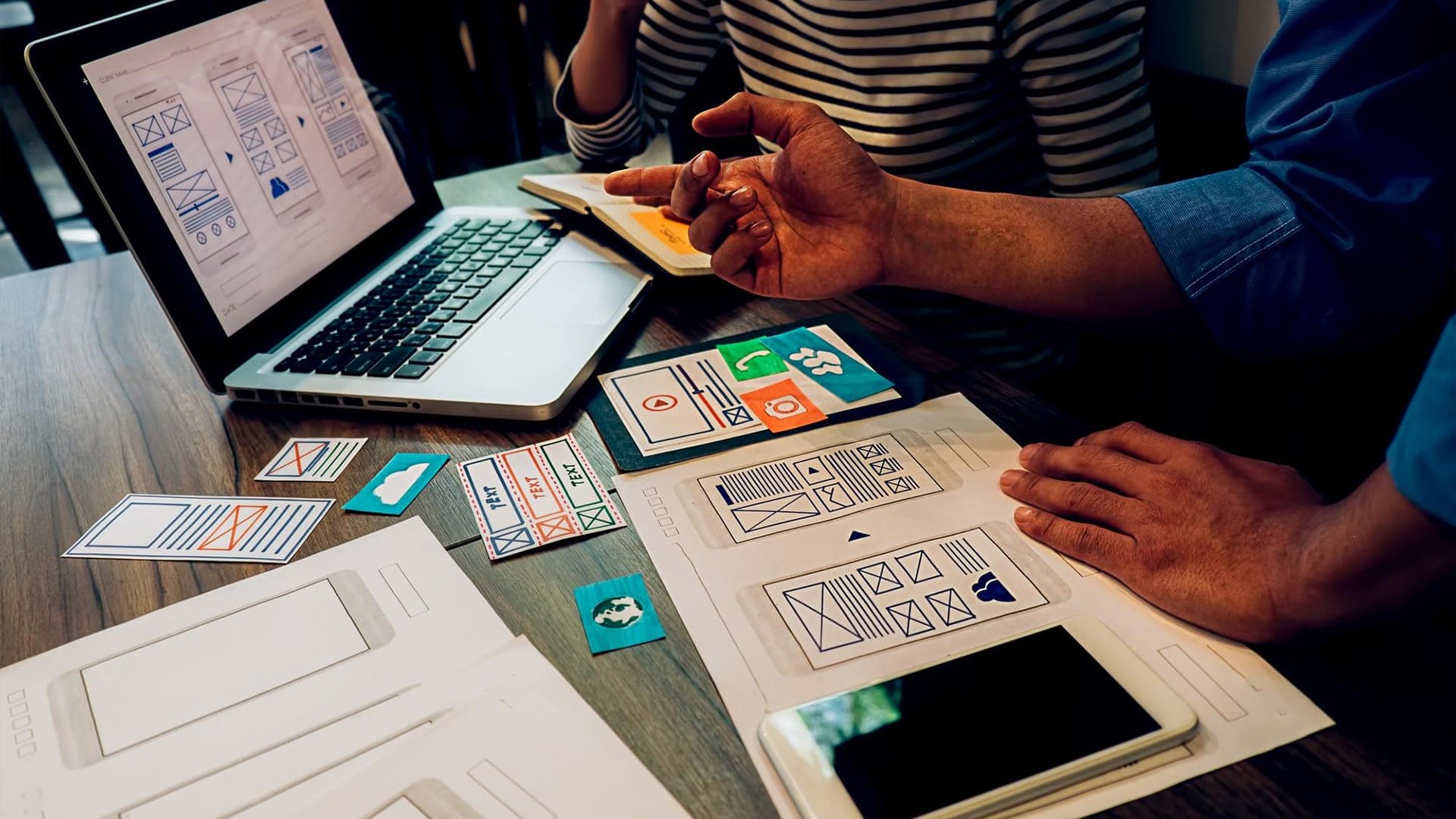
Most web apps do not fail because the team cannot design screens. They fail because the process is sloppy. People jump into UI too early, the scope stays fuzzy, and the build starts before anyone has decided what “success” actually looks like.
A strong web app design process is less about artistic talent and more about sequencing. You are turning an idea into a system that users can understand quickly, trust immediately, and return to without needing instructions.
This is the full process from idea to launch, explained in a way that matches how real teams ship.
What Does “Web App Design” Include, Exactly?
Before you talk process, define the entities involved.
A web app is not a website. A website is usually informational. A web app is interactive and task-driven. It has flows, states, permissions, errors, data, and repeat usage.
So web app design includes:
- Product definition and user intent
- Information architecture for the app
- Core user flows and edge cases
- Wireframes and prototypes
- UI design system and components
- Interaction design (states, transitions, feedback)
- Content and microcopy
- Responsive behavior (desktop, tablet, mobile)
- Handoff specs for development
- Usability testing and iteration
If your “design” is only Figma screens, you are skipping half the job.
How Do You Go From An Idea To A Design Plan Without Guessing?
The first stage is not “design.” It is framing.
What problem are you actually solving?
A launchable idea is usually one sentence:
Who is the user, what are they trying to do, and why are they failing today?
If you cannot answer that cleanly, your app will become a feature dump. This is where the product owner, UX lead, and stakeholders must agree on a single primary outcome. Everything else becomes secondary.
What does success look like after launch?
Pick the numbers that matter. Not vanity metrics.
Depending on your app, success might be:
- Activation rate (users completing the first meaningful action)
- Time-to-value (how fast a new user reaches the “aha” moment)
- Conversion rate (trial to paid, lead to booked call, etc.)
- Retention (7-day or 30-day return usage)
- Task completion rate (can users finish what they came for)
These metrics shape design decisions. If you want retention, you design for habit and clarity. If you want conversion, you design for trust and reduced friction.
Before moving deeper into flows and wireframes, it also helps to ground your idea in realistic scope. Many founders underestimate timelines and overestimate what fits into an MVP. If you want a rough directional estimate before committing resources, you can use Trifleck’s app development cost calculator to understand how features, integrations, and complexity levels affect overall investment. It gives you a practical baseline before the design process expands.
Calculate your app cost here: https://www.trifleck.com/app-cost-calculator
What Discovery Work Happens Before Anyone Draws Screens?
A lot of teams treat discovery like a delay. It is actually a shortcut when done right.
What should you learn from users?
You do not need a massive research program for every app. But you do need clarity on:
- User roles and motivations
- Their current workflow
- Their language (words they actually use)
- Their fears (risk, trust, privacy, money, time)
- What makes them switch tools
- The moments they get stuck
This can come from interviews, surveys, competitor research, analytics, support tickets, or even sales call notes. The point is to stop designing based on opinions.
How do you define the scope of an MVP?
MVP is not “cheap version.” It is the smallest version that proves the app is useful.
A good MVP scope includes:
- One primary user role
- One primary workflow
- A small set of supporting features that protect the workflow
- A clear onboarding path
- Basic analytics
This is where web app design becomes a business discipline. It is easy to design an app with 200 screens. It takes maturity to design one that is tight, coherent, and launchable.
How Do You Structure A Web App Before UI Design?
This is where information architecture and flow design do heavy lifting.
What is information architecture in a web app?
It is how you organize the app’s content, tools, and navigation so users can predict where things live.
It includes:
- Modules and screens
- Navigation hierarchy
- Labels and naming
- Page relationships
- Permission boundaries (who can see what)
A clean architecture makes the app feel “obvious.” A messy one forces users to memorize.
What are user flows and why do they matter?
Flows are step-by-step paths users take to complete tasks.
A serious web app needs:
- Happy path flows (ideal scenarios)
- Alternative flows (users not ready yet)
- Edge cases (errors, missing info, failures)
- Recovery flows (undo, retry, support)
A lot of app churn comes from recovery flows being ignored. People do not leave because the main flow is hard. They leave because one small error makes them feel stupid or stuck.
When Do Wireframes Happen and What Should They Solve?
Wireframes translate flows and architecture into layout decisions. This is where you decide what is primary, what is secondary, and what can wait.
Strong wireframes answer questions like:
What does the user need to see first? Where does trust need to be earned? What can be hidden behind progressive disclosure? What can be automated? What needs an explanation? What needs a warning?
Wireframes are not supposed to be pretty. They are supposed to be clear.
This stage usually includes early prototyping too, because interactive reality exposes problems faster than meetings do.
If you want your web app design process handled by a team that thinks in flows, systems, and launch outcomes (not just screens), contact Trifleck. We design and build web apps with UX strategy, UI systems, and development alignment so your launch is not a gamble.
How Do You Move From Wireframes To High-Fidelity UI Without Losing Clarity?
This transition is where many teams get distracted.
UI should not change the logic. It should strengthen it.
What is the job of UI in a web app?
UI communicates hierarchy, reduces cognitive load, and creates trust.
That means:
- Clean typography hierarchy
- Consistent spacing and alignment
- Buttons and actions that feel predictable
- States that explain what is happening
- Error messages that help instead of blaming
For web apps, UI also needs to handle density. Dashboards and admin experiences can get cluttered fast. Good UI design prevents “busy” screens by using grouping, whitespace discipline, and progressive disclosure.
Why does a design system matter before launch?
Because consistency is speed.
A design system gives you:
- Reusable components (buttons, modals, tables, filters)
- Rules for states (loading, empty, error, success)
- Patterns for forms and validation
- Responsive behavior guidelines
Without a system, you end up redesigning the same components in five different ways. That slows development and creates a Frankenstein app.
If you are building with Trifleck, this stage ties directly into UI UX design and website design and development as a unified delivery, because systems should carry from design to build without translation loss.
What about content and microcopy in web app design?
Microcopy is not “nice to have.” It is UX.
Users rely on:
- Button labels that match intent
- Empty state messages that guide next steps
- Field hints that reduce mistakes
- Error messages that explain solutions
- Confirmation text that reduces anxiety
If microcopy is vague, users hesitate. If microcopy is aggressive, users bounce. If microcopy is too clever, users get annoyed.
This is one of the least respected parts of web app design, and it is one of the most impactful.
How Do You Prepare Design For Development?
Design-to-dev handoff is a process, not a file export.
A real handoff includes:
- Component specs and behavior notes
- Responsive rules
- Interaction states
- Accessibility notes
- Tokens (colors, typography, spacing)
- Flow references (what happens after an action)
- Edge case handling
This is where designers and developers should be in the same room, because half of design problems are implementation problems in disguise.
If development starts with unclear rules, devs will make decisions under pressure. That is how products drift away from intent.
How Does Testing Fit Into The Process Before Launch?
Testing is where your assumptions meet reality.
What should you test before launch?
At minimum:
- Can users complete the primary workflow without help?
- Do users understand what the app is for within seconds?
- Where do they hesitate?
- Where do they make mistakes?
- Do they trust the app with their data and payment?
- Can they recover from errors?
This can be done through usability testing sessions, prototype testing, or a beta phase with real users. Even five sessions can uncover patterns you cannot unsee.
What should you fix and what should you ship?
Not everything needs to be perfect. But anything that blocks the primary workflow should be fixed before launch.
Launch is not the finish line. It is the beginning of iteration. But shipping broken core flows is not “lean.” It is careless.
What Does Launch Preparation Look Like For A Web App?
This is where design meets operations.
Launch prep typically includes:
- Final QA of UI across devices and browsers
- Accessibility checks
- Performance checks (especially dashboard-heavy apps)
- Analytics event setup
- Onboarding emails or in-app guidance
- Help content or basic support flows
- Release notes and feedback channels
For USA markets especially, trust matters. A web app that looks unfinished, behaves inconsistently, or feels insecure loses credibility fast.
What Happens After Launch In A Healthy Web App Design Cycle?
If you treat launch as “done,” your app will drift.
A healthy post-launch cycle looks like:
- Measure activation, drop-offs, and retention
- Watch user behavior (heatmaps, recordings, funnels)
- Collect feedback from support and sales
- Run small experiments to improve flows
- Expand features based on validated demand, not noise
This is where product teams build momentum. Every iteration strengthens your authority and makes marketing easier because the product actually delivers.
If you are building long-term, this is where product development strategy becomes the difference between “we launched” and “we grew.”
Closing Thought
A solid web app design process is not complicated, but it is disciplined.
You start with clarity, not screens. You map structure before visuals. You design flows that respect real user behavior. You build a system, not a collection of pages. You test before launch, and you keep improving after.
That is how an idea becomes a web app people actually use, not just a web app that exists.
Frequently Asked Questions
What is the first step in web app design?
The first step is defining the problem, the primary user, and the primary outcome. If you skip framing, your design and development will drift because nobody agrees on what the app is supposed to achieve.
How long does the web app design process take?
It depends on complexity. A focused MVP can move from discovery to high-fidelity UI in a few weeks. Larger apps take longer because flows, permissions, edge cases, and system design require deeper planning.
Do you need a design system before development?
If the app is more than a simple prototype, yes. A design system reduces inconsistency, speeds up development, and makes future features easier to ship without redesigning everything.
What is the difference between web app design and web design?
Web design usually refers to informational websites. Web app design focuses on interactive workflows, data states, permissions, onboarding, and repeat usage. The complexity level is different.
Can you launch with wireframes or does it need full UI?
You can build and test an MVP with wireframes in some internal tools. For customer-facing web apps, UI matters because trust and clarity impact adoption. Most launches need polished UI for credibility.
How do you make sure web app design is aligned with development?
You align through early collaboration, clear handoff specs, component logic, and shared systems. When design and development are separate worlds, the product becomes inconsistent and slower to iterate.



