

01
Client relationships
Keep the account, people, context, and work connected from the first conversation.
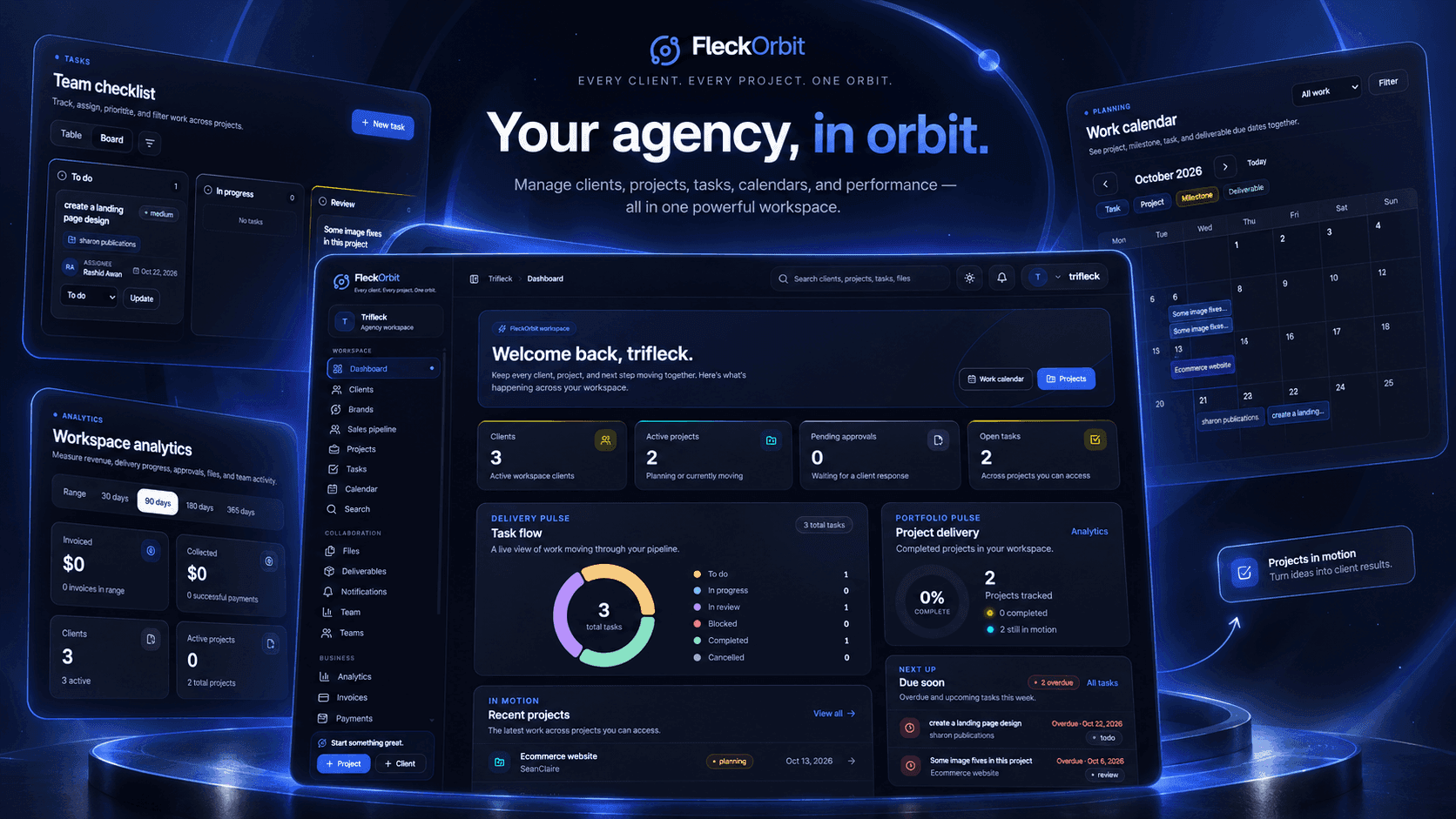
We built FleckOrbit to give client work a center of gravity. Projects, tasks, files, feedback and approvals share one place to move forward.
For a client-facing team, delivery rarely lives in one place. A brief starts in an inbox. Tasks move to a board. Feedback arrives in a message. The latest file ends up somewhere else.
FleckOrbit began with a simple question: what if the full relationship between a client, a project, and the people doing the work was visible in one workspace?
✳ A clearer path from the first brief to final sign-off.A client brief becomes a project. The right team moves it forward. Feedback and approvals stay connected all the way to sign-off.
We gave each part of client delivery a place in the same system, with enough structure for teams to act and enough clarity for clients to follow along.
Keep the account, people, context, and work connected from the first conversation.
Make the scope, ownership, files, and progress visible to everyone involved.
Assign teammates, prioritize the work, and move it across a clear visual board.
Keep comments, attachments, and client approvals beside the deliverables they belong to.
The product brings the next task, the project behind it, and the wider client relationship into view. These are screens from the working FleckOrbit portal.
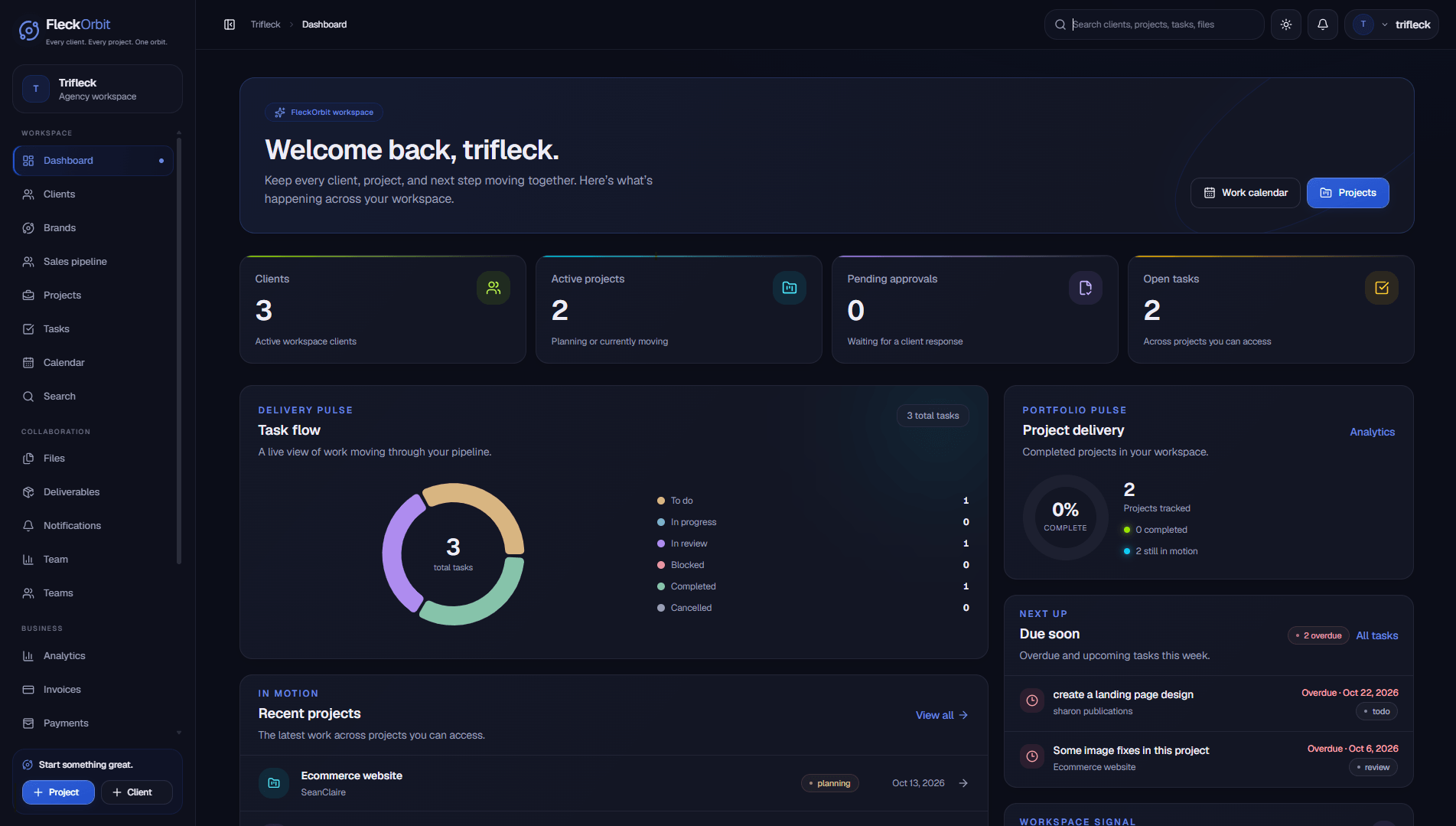
The workspace dashboard puts clients, active projects, task flow, and what is due soon in one starting point.
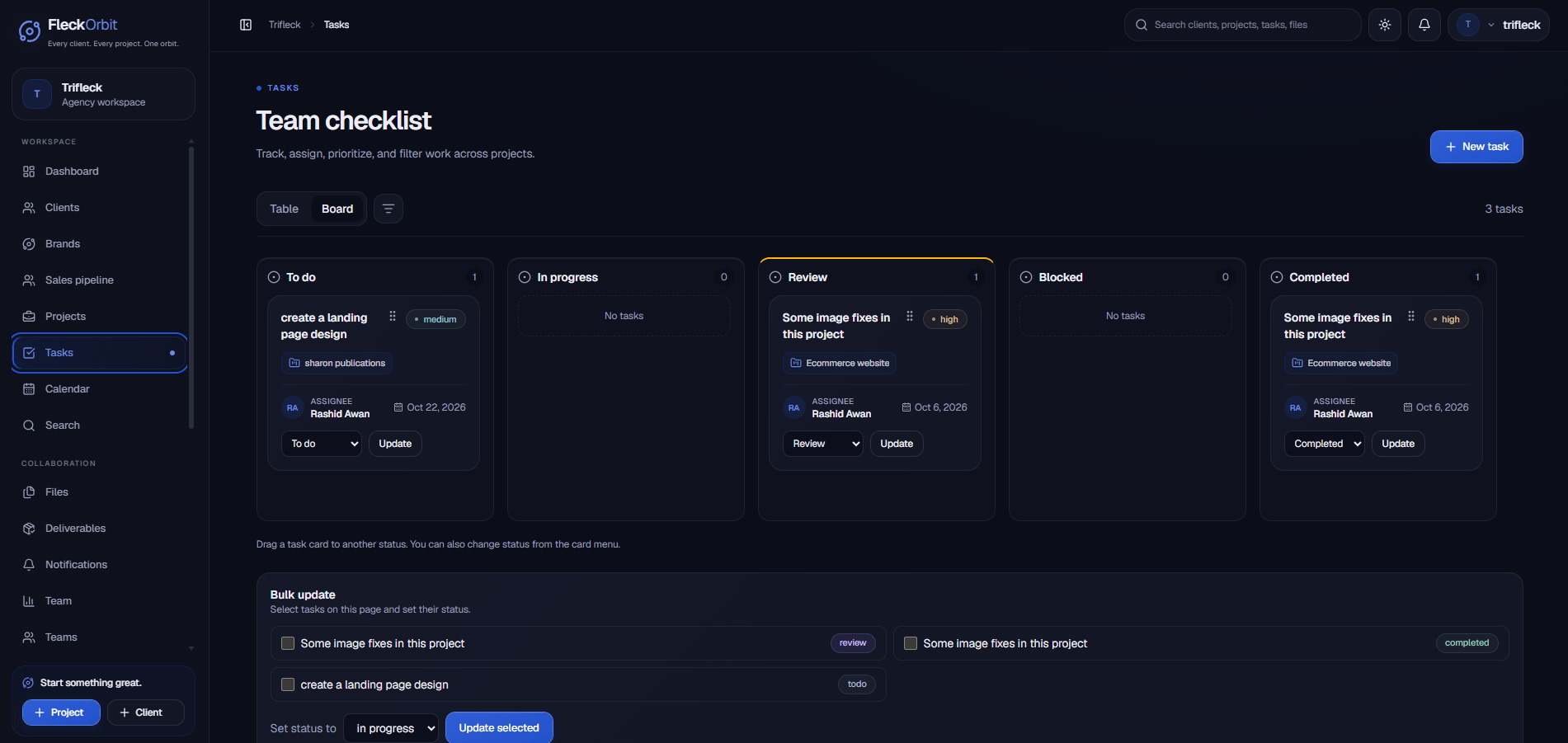
Each task card shows its project, priority, assignee, due date, and status. The board makes work across clients easier to scan and move forward.
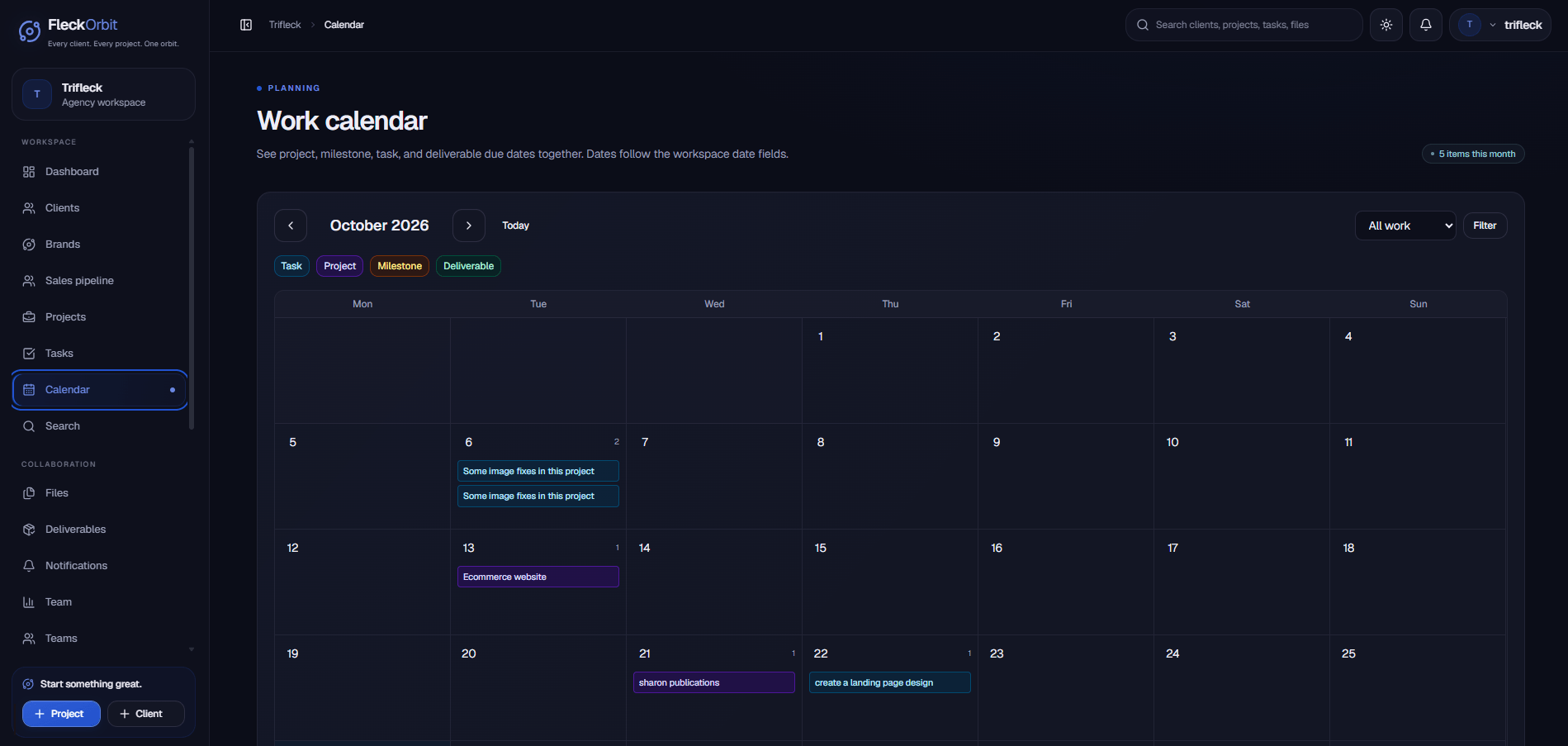
See tasks, project dates, milestones, and deliverables together.
Review activity, workload, approvals, and project progress by date range.
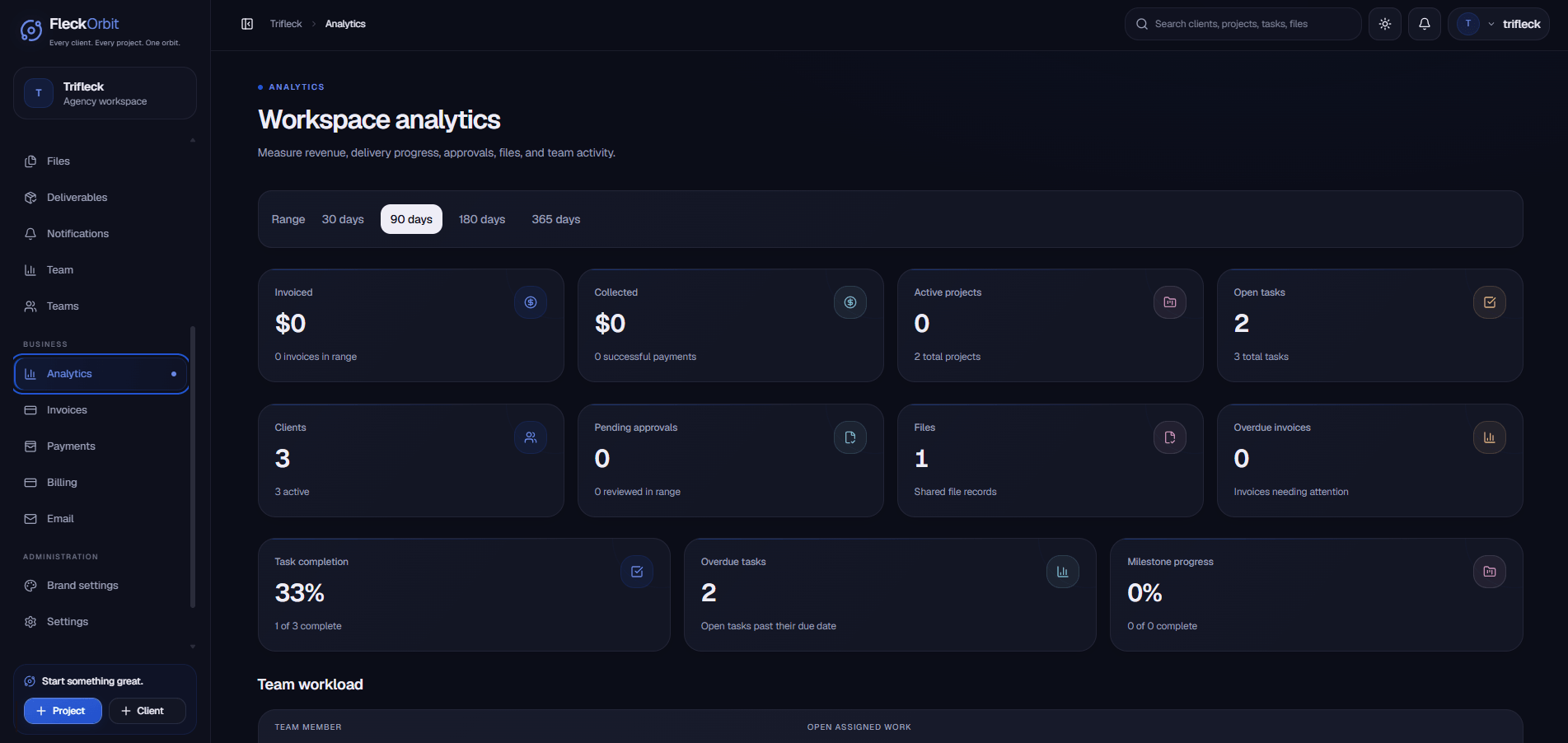
Screens from the FleckOrbit portal. Workspace data shown is illustrative.
FleckOrbit’s orbit language makes the idea of connection tangible, while the product interface stays grounded in clear actions and readable information.
Workspace dashboards surface projects, tasks, and updates at a glance.
Boards, ownership, priorities, and status make progress easy to follow.
Files, comments, and approvals keep decisions attached to the work.
Let’s turn it into an experience your team and customers can move through with confidence.
Build with Trifleck Explore more work